Practice
•
5 mins
A Non-Designer's Guide to Creating Images
How I, as a non-designer, tested 7 AI image generators to create one simple graphic, what I learned, and the image I chose in the end.
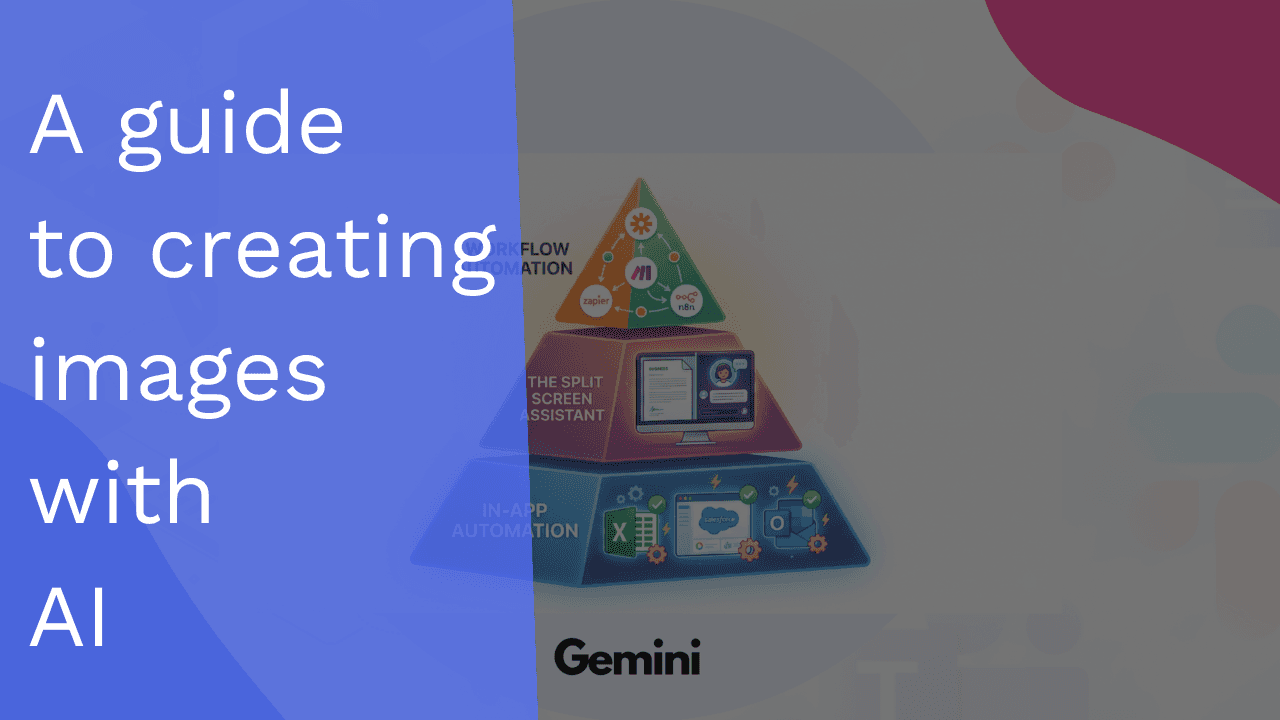
Last week, I published a video about the three layers of business automation. To illustrate the concept, I created an image showing how automation works at different levels, from simple in-app features to full workflow orchestration.
The problem? I'm not a designer. The diagram worked, but it looked... rough.
So I decided to remake it using AI image generation tools. But here's the thing: there are hundreds of options out there. Which one should I actually use?
This post (and the accompanying video) walks through my decision-making process, the tools I tested, and what I learned about choosing AI tools for real business tasks.
The Task: A Three-Layer Automation Pyramid
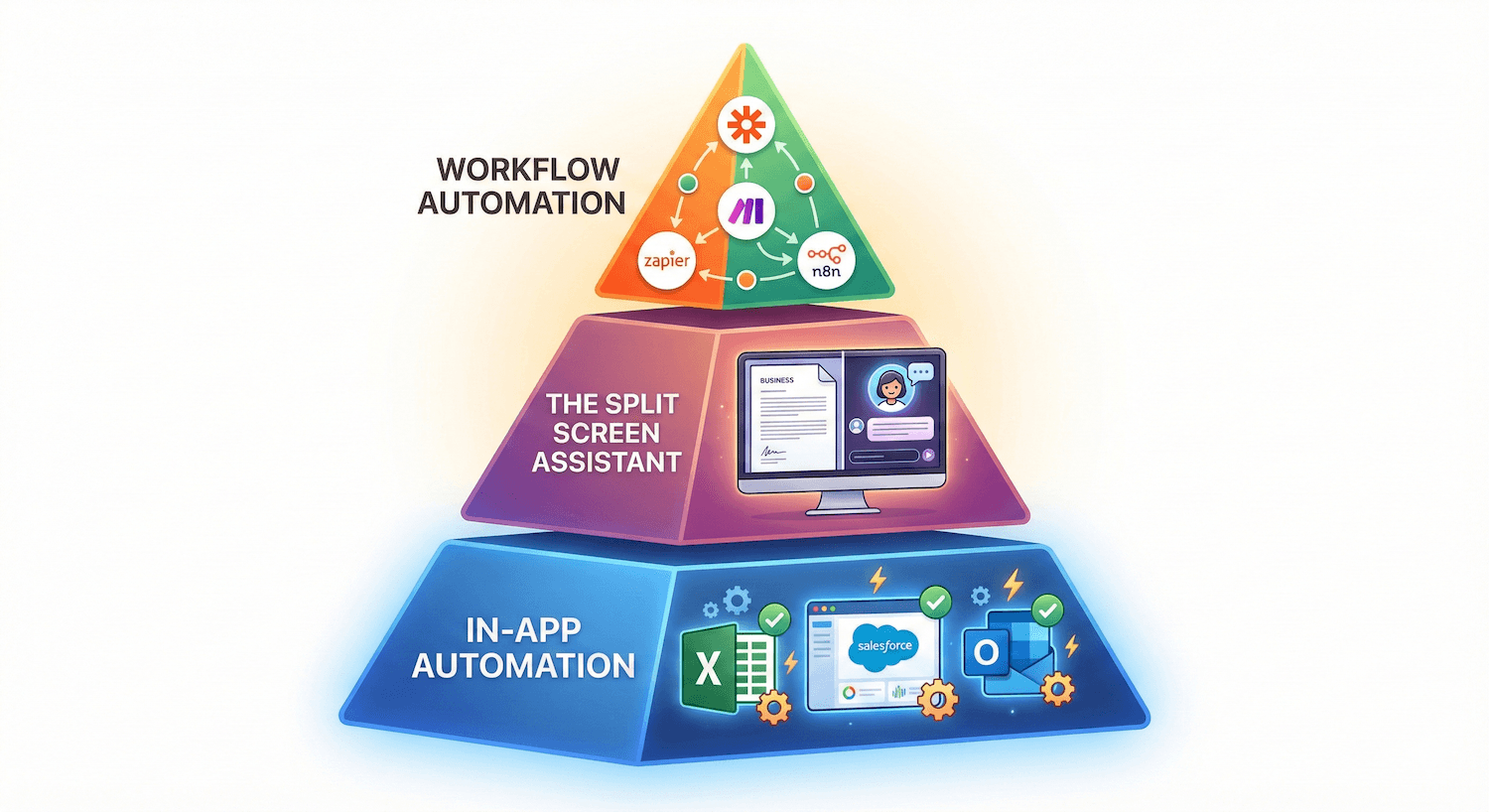
I needed to create a visual representation of these three automation layers:
Layer 1: In-App Automation
The widest layer at the bottom, representing built-in automation features inside the tools you already use - think Excel macros, Salesforce workflows, or Gmail filters. This is the foundation that every business should have in place.
Layer 2: The Split-Screen Assistant
The middle layer showing how AI assistants like ChatGPT, Claude, or Gemini work alongside your regular tools. Picture a monitor split in two: your work on one side, your AI assistant on the other.
Layer 3: Workflow Automation
The top layer representing platforms like n8n, Zapier, and Make that connect all your tools together. This is where the magic happens—data flowing automatically between systems without human intervention.
The goal: Create a clean, professional-yet-approachable illustration that I could use as a YouTube thumbnail and in future presentations.
The Approach: Test Everything I Already Have Access To
Before jumping into specialized tools, I wanted to test what I already pay for or what's freely available. Here's my shortlist:
General-Purpose LLMs:
ChatGPT (already subscribed)
Gemini (use it daily for various tasks)
Specialized Image Creation Tools:
Bing Image Creator (free)
Canva AI (already have an account)
Ideogram (free tier available)
Adobe Express/Firefly (testing the free version)
LightX (free option)
Why this approach? I don't want to add another subscription unless absolutely necessary. If a tool I'm already paying for can handle this task, that's the smart choice.
The Prep Work: Crafting the Prompt
Instead of winging it, I turned to ChatGPT and Gemini to help me write a comprehensive prompt. Here's what I told them:
"I want to create an image for my YouTube video that showcases a pyramid with three layers of automation a business can implement: at the bottom, there's 'in-app automation', in the middle there's 'the split screen assistant' (aka using ChatGPT or Gemini in an ever-open window), and at the top there's 'workflow automation' (n8n, Zapier, Make). The video's a balance between professionalism and a casual look. Help me write a prompt for an LLM to make this image - I will also create a rough sketch so the prompt should mention it."
The result was a detailed prompt describing:
Bottom Layer (Foundation): Glowing with stable blue light. Large text: "IN-APP AUTOMATION". Stylized icons of software interfaces (Excel, Salesforce, Outlook) with small internal gears and checkmarks showing automated tasks happening inside the apps.
Middle Layer: Warm purples and pinks. Text: "THE SPLIT SCREEN ASSISTANT". A desktop monitor split down the middle—business document on the left, glowing AI chat interface on the right.
Top Layer (Capstone): Bright orange and green. Text: "WORKFLOW AUTOMATION". A dynamic web of connecting nodes, arrows, and data pipelines flowing between app logos.
Composition requirements:
Pyramid as the main focus
White or very light background
Plenty of negative space
Clear visual hierarchy emphasizing the base as foundational
Overall vibe: "Smart systems", "calm productivity", "practical automation"—like content from a thoughtful operator, not a hype marketer.
I also created a rough sketch to reference in the prompt, ensuring nothing got overlooked.
The Testing: Running the Same Prompt Across All Tools
This is where it got interesting. I used the exact same prompt across all seven tools to see how each interpreted my requirements.
Key observations:
Speed Matters
Bing Image Creator took 1 minute and 20 seconds to generate results. Some tools were faster, others slower. When you're iterating on creative work, those seconds add up.
Interpretation Varies Wildly
Even with a detailed prompt, each tool interpreted "pyramid," "layers," and "professional yet casual" differently. Some went too corporate, others too cartoony.
Text Rendering is Hit or Miss
Getting clean, readable text labels ("IN-APP AUTOMATION," etc.) proved challenging for many tools. Some nailed it, others created gibberish.
Consistency vs. Creativity
Some tools gave me consistent results across multiple generations, while others were wildly unpredictable—sometimes producing gold, sometimes producing garbage.
The Choice: What I Learned
(Watch the full video to see the complete comparison and the reason behind my final choice)
Here's what this exercise taught me about choosing AI tools for business tasks:
1. Don't Add Tools Until You've Exhausted What You Have
Before subscribing to yet another service, test what you're already paying for. I was surprised by what ChatGPT and Gemini could produce without needing a specialized image tool.
2. Free Doesn't Mean Bad
Some of the free tools (like Bing Image Creator) held their own against paid alternatives. The delivery method and ease of use matter more than the underlying AI model.
3. Specificity in Prompts is Everything
Having ChatGPT and Gemini help me craft the prompt made a massive difference. The more specific I was about layout, colors, and vibe, the better the results.
4. Iteration is Part of the Process
No tool got it perfect on the first try. The real question is: which tool makes iteration easiest? Can I refine the image quickly, or do I need to start from scratch each time?
5. "Good Enough" is Often Good Enough
As a business owner, I need to balance quality with time investment. Sometimes the second-best result that took 2 minutes is better than the perfect result that took 2 hours.
The Bigger Lesson: AI Feels Overwhelming Until You Zoom In
When you look at the AI landscape from a distance, it's paralyzing. Hundreds of tools. Endless possibilities. Analysis paralysis.
But when you zoom in on one small, boring task—like fixing a pyramid diagram—things become super simple:
Define what you need
Test what you already have
Pick the tool that works well enough
Move on with your life
This is how operators use AI. Not chasing every shiny new tool, but methodically solving specific problems with the minimum viable solution.